Mobile STASH
On the road? In the audience? Mobile STASH to the rescue!
ShareTheBoard Secures Impact Awards at SXSW EDU 2026 and LTSMG 2026
Ready to share that whiteboard, flipchart, blackboard or any other analog surface? Time to start a new ShareTheBoard session! You have three easy ways to get started:
Click the big blue button
After you log in to ShareTheBoard (regardless of whether you’re using the Web App or the Content Camera), you’ll see your dashboard. On it you’ll find the unequivocal big blue button: click it to start your session. This will initiate a brand new session of ShareTheBoard on a completely unique Board View link.
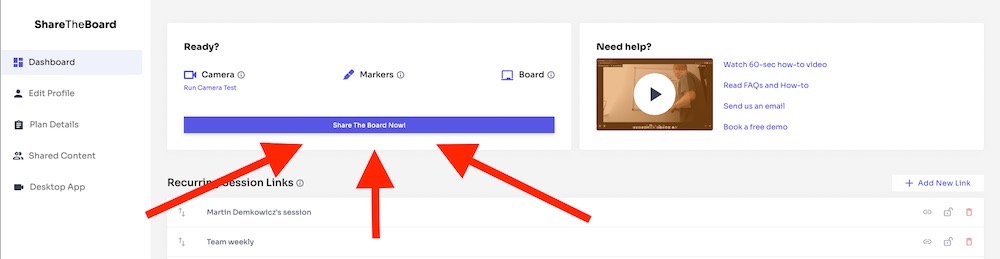
The big blue button
Use Recurring Session Links
Another way to start a ShareTheBoard session is to create a Recurring Session Link. Why would you want to use these?
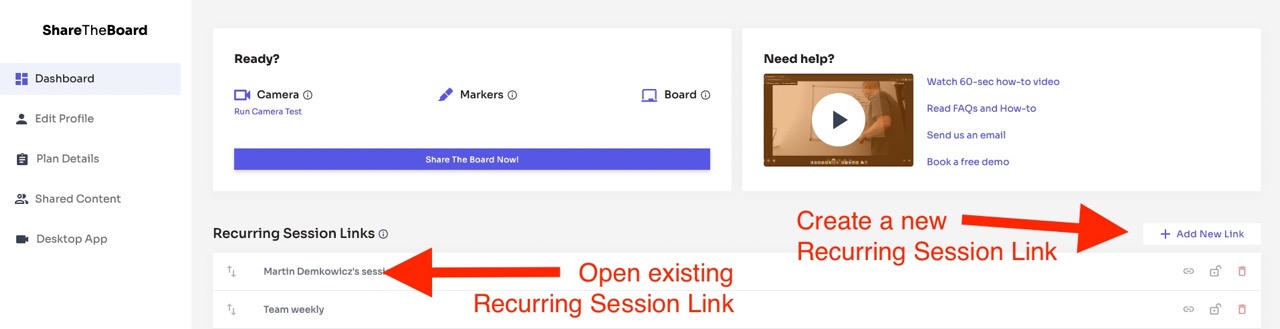
Recurring Session Links – perfect for one-click session starts, secure sessions and, well, recurring sessions!
Use the Auto-Start Feature (Content Camera only)
There are times when it makes sense to use the Content Camera over the Web App. This desktop application (currently available on Windows only) effectively turns any camera into a content camera. It works be intercepting the feed from a physical camera, adding ShareTheBoard magic to it, then returning a virtual camera which can be selected inside of any camera-using application. This means, for example, that you can share your whiteboard directly “inside” of your favorite video conferencing tool, simply by selecting the “STB Content Camera” as your camera!
One nifty feature of the Content Camera is that it can be configured to start automatically, simply by activating any camera-using application. In other words, you can share a whiteboard without so much as a single click:
This feature is particularly useful in higher education settings. When properly configured, for example, it allows a professor to deliver a crisp, interactive whiteboard to a remote class, simply by starting a video conference. Nothing to click, nothing to learn: just step up to the board and write!


