Board Memory – the complete how-to
Find out everything there is to know about Board Memory - one of ShareTheBoard's killer features
ShareTheBoard Secures Impact Awards at SXSW EDU 2026 and LTSMG 2026
The age-old problem
With ShareTheBoard, sharing your whiteboard with the world is super easy. But what happens when you’re in the audience and the presenter – gasp! – isn’t using ShareTheBoard? Or what happens when you visit a client and don’t have your laptop handy?
Taking a picture with your phone isn’t ideal: the board could be partially obstructed, there could be glare, the writing might just be too messy. Then there’s the security issue: if that board contains sensitive information, should its contents really be kept next to your personal pictures? And how are you going to share that pic with your colleagues (securely)? And anyway what can you do with a picture of a board?!
Mobile STASH to the rescue
ShareTheBoard has got you covered! Simply log in to the Web app on your phone and use the Mobile STASH. With one shot you can capture board contents clearly, share them securely, and even transcribe or analyze your board contents with a click. In other words, you can Secure, Transcribe, Analyze, and SHare any handwritten content, using your own mobile device.
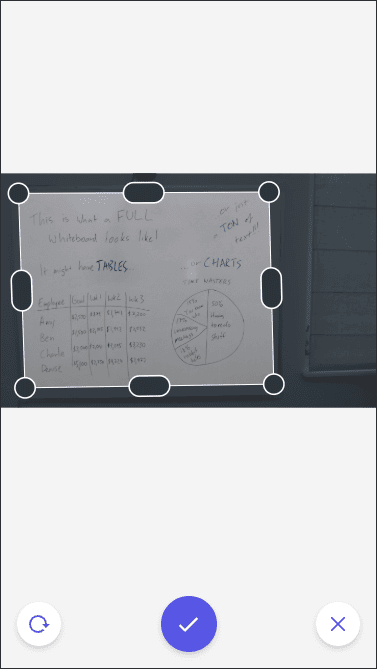
How it works
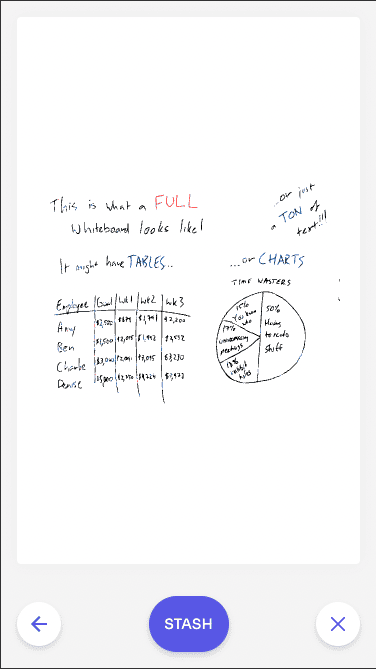
Content as it’s meant to be seen
Boom! Just like that, you now have a cleaned-up version of your handwritten content ready to go: smudges and glares are gone, the background is a bright and smooth white, the colors of your content are vibrant and significantly more legible. If you need to adjust the pic, hit back and try again. Otherwise, if it looks good, hit STASH to make the magic happen.
What happens when you STASH your content
First of all, your content is immediately STASHed in your account’s Board Memory. This means you don’t have to save it locally to your phone. More than that: the cleaned-up image is secured with the highest grade encryption and can now be shared securely within your organization.
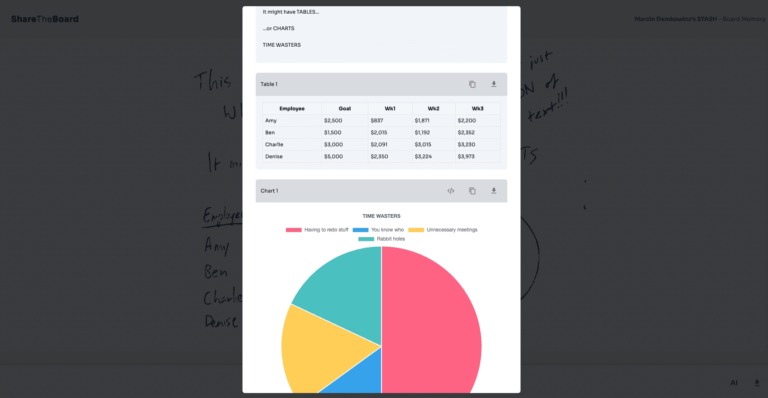
Instant Productivity
If you open your newly-STASHed content in Board Memory, you can also use ShareTheBoard’s exclusive Intelligent Transcription to convert that cleaned-up image into properly formatted digital content. Your text will be saved as digital text, your tables become tables/spreadsheets, your charts become digital masterpieces – and all of it is editable and exportable in multiple formats.
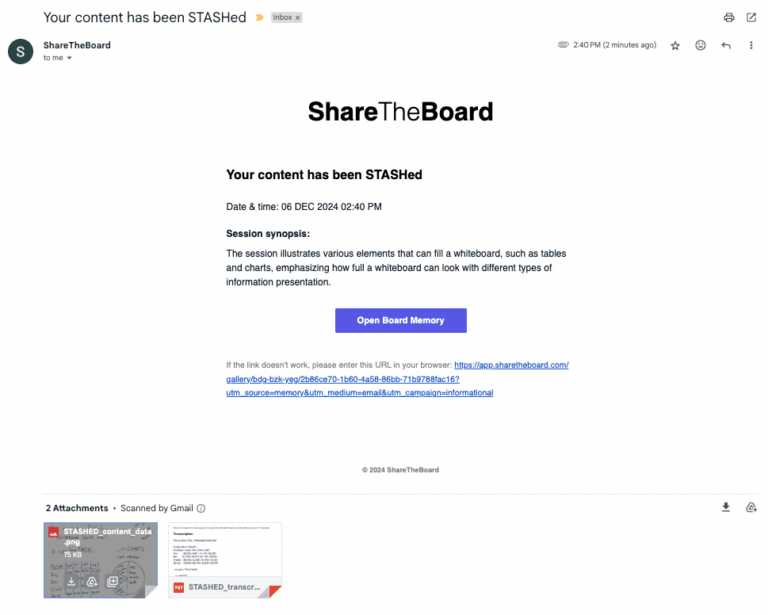
You don’t even have to lift a finger
Using STASH is even easier than you think. Why? Well, after you STASH your content, ShareTheBoard will email you a direct link to your secure content, making it very easy to share with colleagues. More than that: your auto-sent email will include an AI-generated synopsis, so you can easily remember/reference your whiteboarding session. The email will even contain the cleaned-up image and a simple text transcription, for immediate review (you’ll still want to go to Board Memory to generate an Intelligent Transcription).
In other words: even when you’re not presenting, you can easily secure, share, and transcribe your handwritten content. Just STASH it!


